Photographers
A wedding in an evening, not a week
Three thousand frames become a selection: bursts, faces, quality, side-by-side compare. The pick goes to Lightroom in one click.




For Mac · photographers, creators and travellers with thousands of frames
Selecta Pro finds bursts, closed eyes and blurry frames on its own, lays film and light across the whole shoot and builds a feed with carousels. No Lightroom, no spreadsheets, no touching the files on disk.
7 days free · no card · macOS 14 or later · Apple Silicon and Intel
From the memory card to the published post.
Photographers
Three thousand frames become a selection: bursts, faces, quality, side-by-side compare. The pick goes to Lightroom in one click.
Creators and SMM
Posts and carousels on the board, captions under frames, one film look for the whole post, feed preview and 4:5 slide export.
Travel
Similar frames fold into bursts, the best ones are marked for you. All that’s left is to choose, grade and hand them to friends or to print.
A new way
It used to take three apps and two spreadsheets. Photo Mechanic culled, Lightroom graded, Planoly laid out the feed. Selecta does all of it and never touches your files.
Bursts and duplicates, faces and closed eyes, blurry frames, moments of the shoot. Three thousand RAW files in minutes, not an evening.
Film, light and colour on one frame, the selection or the whole shoot. Files on disk stay untouched: the edit lives alongside and only leaves in export.
Carousels, stories, captions, collages, notes and checklists. Feed preview and 4:5 slide export, ready to publish.
Culling
Smart culling groups similar frames into bursts and marks the best one, finds closed eyes and blurry shots, splits the shoot into moments. Side-by-side compare, loupe, stars and hearts — all from the keyboard.
More about culling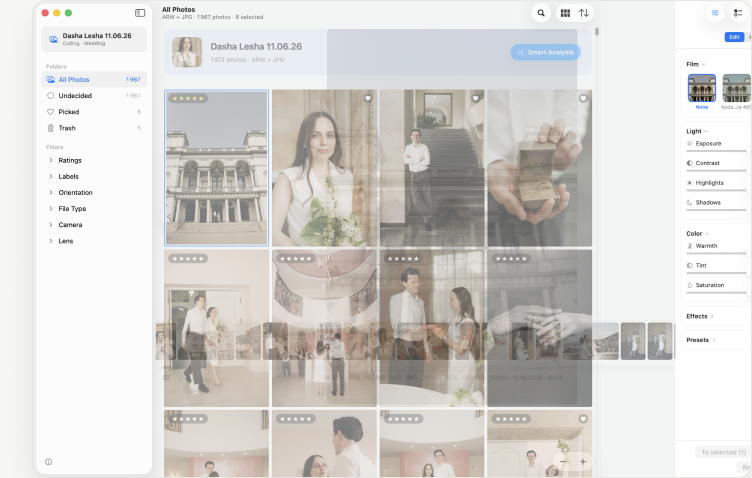
Editing
Film looks in the spirit of Portra and Classic Chrome, exposure, contrast, shadows, warmth. “Apply to all” lays the edit on every frame at once. Files on disk never change: the edit lives alongside and only leaves in export.
How editing works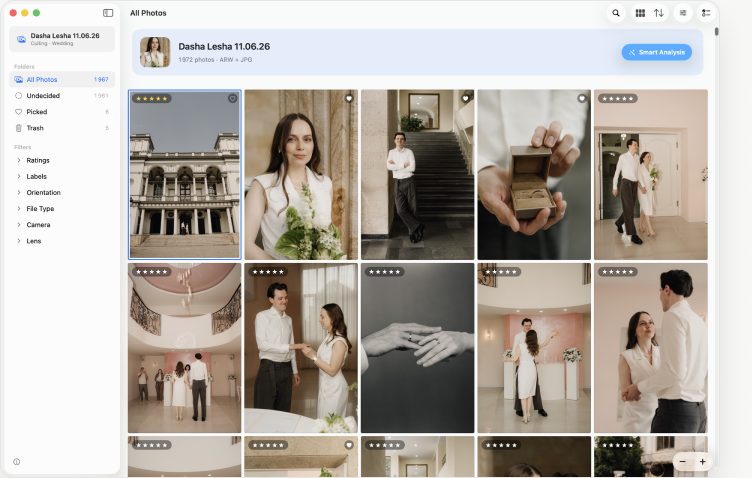
Board
Drag frames onto the board: post, story, collage. Captions under frames, notes and checklists, one film look for the whole post. The feed shows how it will look in the profile. Export 4:5 slides — and publish.
More about the board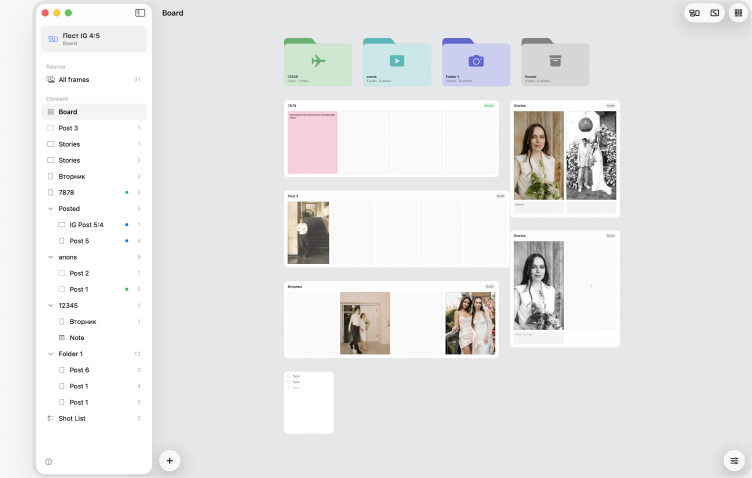
A folder from the card or the disk. RAW and JPEG, several cameras, nested folders — everything is picked up on its own.
Bursts, faces, quality and moments are computed on your Mac. Nothing leaves for the cloud.
Hearts, stars, side-by-side compare. Film and light — on a frame or across the whole shoot.
Originals or JPEG with the edit, XMP for Lightroom, posts and carousels for publishing.
| Selecta Pro | Photo Mechanic + Lightroom + Planoly | |
|---|---|---|
| Culling 3,000 RAW files | bursts, faces, quality — automatic | by hand, frame by frame |
| Editing frames | film and light, files untouched | export and re-import |
| Posts and carousels | on the board, from the same frames | upload to a separate service |
| Profile feed | preview built in | a subscription in a third window |
| Where it computes | on your Mac, offline | partly in the cloud |
| Price | one subscription | three subscriptions |
“I culled a 2,800-frame wedding in an evening. Bursts and closed eyes — that used to take a day.”
“I build carousels straight from the pick and see how the feed will land right away. Planoly is no longer needed.”
“Brought two thousand frames back from Georgia. Smart culling left a hundred and twenty, I picked forty, laid a film look — and off to print.”
Quotes are placeholders for the mockup; replace with real reviews.
Pricing
Seven days of full access, no card. Then whichever suits you: monthly, or yearly at a discount.
Early users get 30% off the year. Prices are examples; the real ones come from the App Store.
No. RAW and JPEG on disk stay as they are. Marks, edits and the board are stored next to the project, and processed copies appear only on export — you choose where.
RAW from Sony, Canon, Nikon, Fujifilm, Panasonic, Olympus and DNG, plus JPEG, HEIC, PNG and TIFF.
No. Smart culling, faces and quality are computed on your Mac. The internet is only needed to buy the subscription.
Projects and marks stay. Without a subscription, smart culling, editing and slide export are locked; viewing and manual picking keep working.
Yes: ratings and labels go to XMP next to the frames, and Lightroom picks them up on import.
Seven days of full access. No card. The files on disk stay yours.